

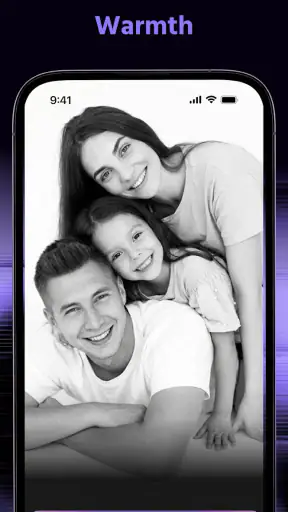
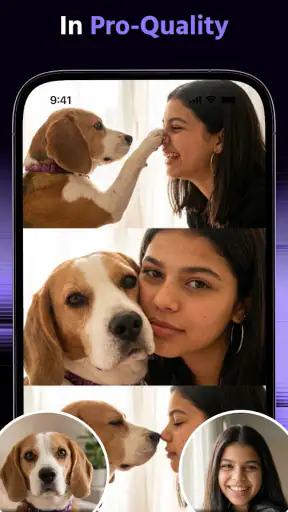
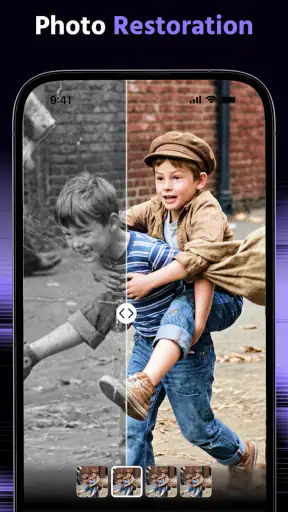
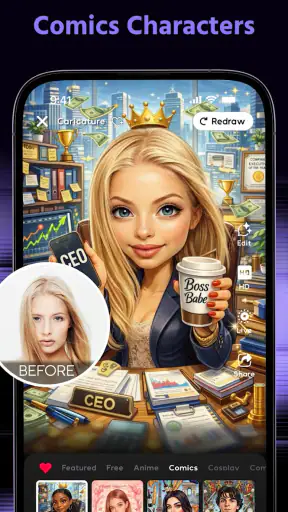
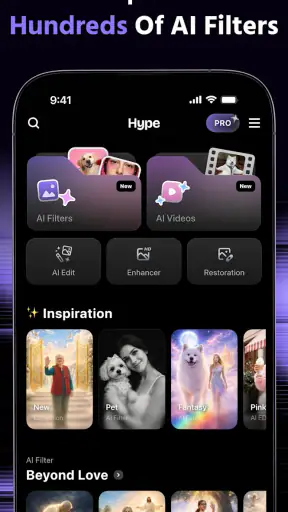
I approached Hype AI - AI Photo & Video as a working tool rather than a novelty camera: something to open when I have an idea, need a visual quickly, and want a result that feels more deliberate than an untouched phone photo. It belongs to the photography category, comes from ORIGO Game, and is free to install. The basic appeal is clear from the name: use AI to turn ordinary creative material into more attention-grabbing photos and videos.
That promise makes sense for social posts, short promotional clips, mood boards, profile images, and quick experiments. It is less convincing if you want a traditional manual camera or a full editing suite with precise control over every layer. My experience is that the app is most useful in the space between an idea and a publishable draft. It helps me explore a direction quickly, but I still need to judge the result carefully before treating it as finished work.
Starting with an idea instead of a blank timeline
The strongest reason to try this app is that it lowers the effort needed to begin. A normal photo editor expects me to bring a nearly finished image and improve it through cropping, color adjustments, retouching, and effects. Hype AI takes a different approach: I can start with a simple visual intention and use artificial intelligence to push the material toward a more dramatic presentation.
That is especially handy when I know the mood I want but do not yet know the exact treatment. For example, I might have a product photo that feels flat, a portrait that needs a stronger social-media identity, or a short video that lacks an obvious hook. Instead of opening a large desktop editor and building the look manually, I can use the app as a rapid visual sketchbook.
I found it helpful to decide on the purpose before editing. “Make this exciting” is too vague, even for an AI-focused tool. A better starting point is a clear outcome: a bold cover image, a polished announcement, a playful transformation, or a short clip that should feel energetic. The more specific my intention, the easier it is to recognize whether the generated result is actually useful rather than merely flashy.
The app works best as an idea accelerator, not as a replacement for creative judgement. AI can suggest a direction, but it cannot decide whether that direction suits the audience, the subject, or the message. I still have to choose the source material carefully and reject results that look impressive for a few seconds but communicate nothing.
What the AI approach changes in everyday use
Traditional photography apps reward patience and technical control. I can adjust exposure, focus, white balance, and composition before taking a shot, then refine the image afterward. Hype AI is more about transformation and presentation. That makes it approachable for someone who does not want to study a long list of editing controls, but it also means the process may feel less predictable to a photographer who wants exact repeatability.
For a small creator, that trade-off can be worthwhile. Imagine preparing a weekend announcement for a local event. I could take a straightforward photo of the venue, use the app to explore a more energetic visual treatment, and compare several directions before choosing one for the post. The value is not only the final image; it is the speed of exploring alternatives without committing to a complicated production workflow.
For a content creator, the app can also help break a creative block. I may already have a folder of unused photos and clips, but no clear idea for turning them into something publishable. An AI-driven treatment gives those assets a new starting point. I would not expect every result to be ready immediately, yet even an imperfect variation can reveal a composition, color mood, or pacing idea worth developing elsewhere.
There is a practical caution here. AI effects can pull attention away from the subject. A portrait may become more stylized but less recognizable; a product may look more dramatic but lose important detail; a travel clip may gain energy while no longer feeling authentic. I recommend checking the result at normal viewing size, not only while zoomed in on the effect. If the visual idea disappears when reduced to a phone screen, the transformation has probably gone too far.
From first draft to usable creative output
A workflow built around making, checking, and refining
My preferred workflow begins with a small selection of source material. I avoid feeding the app every photo from a project. Choosing two or three strong candidates makes comparison easier and keeps the creative decision focused. A clear subject, reasonable lighting, and an uncluttered background give the AI more to work with than a technically weak image covered by distractions.
After creating an initial version, I look for three things: whether the main subject remains clear, whether the visual treatment supports the intended message, and whether the result still feels believable for its destination. This check matters because an effect can be attractive in isolation but unsuitable for a professional announcement, a personal profile, or a product presentation.
The second pass should not simply add more intensity. I get better results by changing one creative variable at a time. If the first attempt is too busy, I try a cleaner direction. If it feels dull, I adjust the treatment rather than piling on another effect. This approach makes the app feel less like a random generator and more like a fast iteration partner.
A useful non-obvious habit is to keep the original beside the edited version. AI transformations can make small changes to faces, textures, edges, or objects that are easy to miss when I look only at the finished image. Comparing both versions helps me decide whether the app has improved the communication or merely increased visual noise. It also protects me from losing the natural character of a photo that was already working.
Iteration is where the app earns its place
The first result is rarely the whole reason to use an AI creative app. Its real advantage is the ability to test a visual direction faster than I could manually. I treat each generation as a proposal. Some proposals are close to what I want, some suggest a better route, and some are simply wrong for the material.
I would not build a workflow that depends on accepting the first output. Instead, I create a small set of alternatives and compare them for purpose. One version may be better as a thumbnail because the subject reads immediately. Another may work as a full-screen story because it has more atmosphere. A third might be visually striking but too confusing for an announcement. This kind of selection is more valuable than choosing the most dramatic result automatically.
That comparison also reveals a limitation: AI styling can make consistency difficult. If I am preparing several images for the same campaign, each output may have a slightly different visual personality. A human editor with a fixed set of adjustments can often maintain a more uniform look. Hype AI is therefore stronger for individual attention-grabbing pieces than for a large collection that must follow strict brand rules.
For a creator working alone, I would use the app near the beginning of production, then move to a more controlled editor if the project needs exact typography, repeated layouts, detailed masking, or careful color matching. This division of labor is sensible. The AI app supplies options and energy; a conventional editor handles precision and consistency.
Everyday scenarios where the approach makes sense
One realistic use is a small business owner preparing a same-day social post. They may have a clean photo of a new item but no time to build a full campaign. Hype AI can help produce a more distinctive visual starting point, after which the owner can add the essential information in another tool if needed. The app is valuable here because speed matters more than a perfect studio workflow.
Another use is a musician or video creator testing the identity of a short teaser. Rather than filming several complete concepts, they can begin with existing images or clips and explore which visual mood fits the track or announcement. The app becomes a low-cost way to test direction before spending more time on filming, editing, or design.
I can also see it helping someone refresh a personal portfolio. A photographer might use it to create an experimental variation while keeping the original image intact. That can be useful for discovering a new presentation style, although I would label AI-treated work clearly when the distinction matters to viewers.
It is less suitable for documentary work, evidence-based imagery, or any situation where visual accuracy is the priority. If changing the appearance of a person, place, or object could mislead the audience, I would choose a conventional editor with transparent, limited adjustments instead. The same applies to professional retouching where every alteration must be intentional and reversible.
Practical questions about access and ongoing use
The app is free, which makes experimentation easy, but it includes in-app purchases ranging from $0.99 to $99.99 per item. I would approach those purchases carefully. Before paying, I would spend time learning whether the free experience already fits my workflow and whether a paid option solves a real limitation rather than simply encouraging more experimentation.
Its content rating is Mature 17+, so it is not an app I would casually hand to a younger user without checking the surrounding context and intended use. That rating is also a reminder to consider the audience for anything created with it. A visual that works for an adult-oriented creative project may not be appropriate for a school, family, or general public channel.
On supported devices, the listed minimum operating system is Android 7.0. The current version is 7.0.6, and the app has reached over a million installs with a 4.4 average from around 8.7 thousand ratings. Those figures suggest that it has found a substantial audience, but popularity does not remove the need to test it against a specific workflow. AI tools can feel excellent for one type of content and frustrating for another.
I would also plan my handoff before creating a final piece. If the visual is going straight to a social platform, I check it in the approximate shape and size where people will see it. If another person will continue the work, I keep the original assets and note which version was selected. This is a small step, but it prevents the common problem of having only a stylized final image with no clean material available for later revisions.
Where it stands beside familiar photography tools
Compared with a standard phone camera, Hype AI offers more creative distance from the original capture. A phone camera is better when I want natural detail, predictable framing, and a faithful record of a moment. This app is better when the goal is to turn that material into something more expressive or attention-oriented.
Compared with a manual photo editor, it trades fine control for speed. A conventional editor is the stronger choice for precise skin retouching, exact color work, professional masking, layered compositions, and repeatable brand templates. Hype AI is more appealing when I want to explore a look without spending a long time constructing it from individual adjustments.
Compared with a full video editor, it should be viewed as part of the creative pipeline rather than the entire pipeline. A dedicated video editor remains preferable for detailed timing, audio mixing, captions, transitions, and complex sequencing. The AI app makes more sense when the visual treatment itself is the main challenge and the final delivery can be completed with another tool.
That distinction keeps expectations realistic. I would recommend it to someone who wants fast, expressive experiments and is comfortable making the final editorial decisions themselves. I would not recommend relying on it alone for a tightly controlled commercial production or a project that needs a fully documented, repeatable process from source to delivery.
My verdict for creators deciding whether to install it
After using it as a creative production aid, I see Hype AI - AI Photo & Video as a useful bridge between raw material and a stronger visual concept. It is approachable, quick to experiment with, and particularly well suited to creators who need an eye-catching draft without opening a complex editing workstation.
Its best quality is not that every output is perfect. It is that the app makes it easier to try a direction, reject it, and try another one before the idea goes stale. That matters when I am working alone, producing frequently, or trying to discover a visual identity. The main weakness is the reduced control and the risk of over-styling. I have to watch for lost detail, inconsistent results, and images that look exciting but no longer serve the message.
I would install it if my work involves social content, experimental portraits, promotional visuals, short creative clips, or quick concept development. I would skip it as my primary tool if I need natural photography, exact retouching, strict brand consistency, or a complete professional editing workflow in one place.
My practical recommendation is to begin with a low-stakes project, preserve every original, compare multiple variations, and judge the result in its real publishing context. Used that way, the free app from ORIGO Game can become a productive part of a creator’s process rather than another source of effects. For me, its value comes from faster visual decisions, not from letting AI make the final decision.


